

Company cars, without the spreadsheet.
Book from the marketplace, assign cars to employees, and keep every invoice on one company account. Add your own vehicles to see the whole fleet in one place.
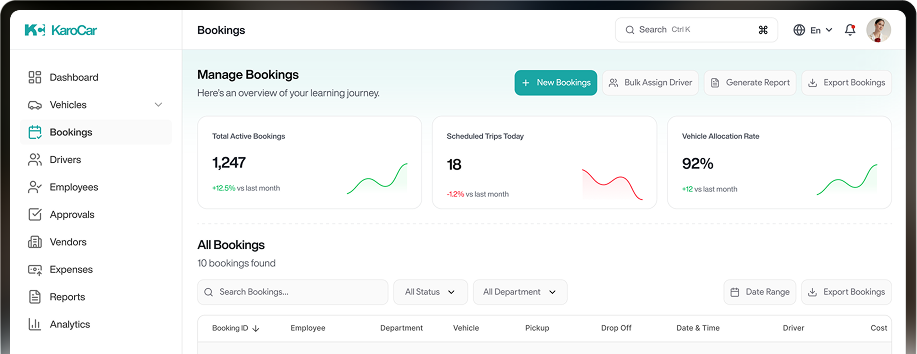
Book from the marketplace, assign cars to employees, and keep every invoice on one company account. Add your own vehicles to see the whole fleet in one place.
Assign before they join
Book a car and assign it to a new hire who isn't on KaroCar yet. They get an invite and a quick identity step.
One company bill
Company-booked cars bill the company. Employees see them marked Company in the app, so nobody pays for the wrong thing.
Your whole fleet
Track company-owned cars that aren't for rent alongside marketplace rentals, in one view.
Set up in three steps
Create your account
Choose Company when you sign up, with your work email or phone.
Verify your company
Upload registration documents in the panel. We review them.
Book and assign
Browse the marketplace, book, and assign cars to your people.
Roles for your team
Admins and managers get different permissions inside the same company account.

Verification and handover
happen in the KaroCar app
Scan the code to install. The app uses your camera for the identity check and the condition checklist, and keeps your rental details handy.